Remote Controller Instructions
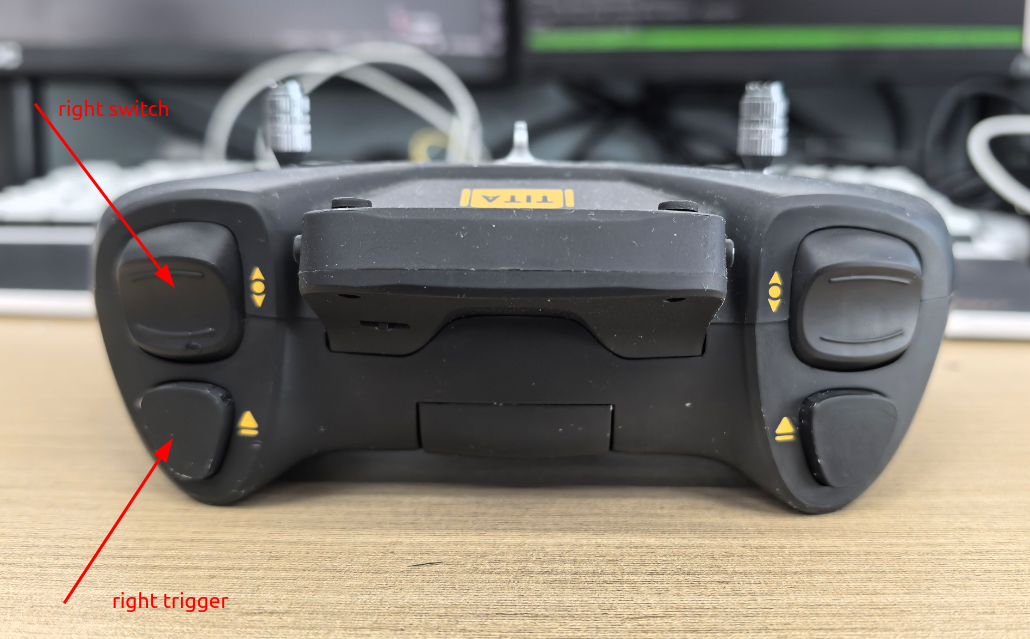
For detailed information on how to pair the remote controller, see:Remote Controller Pairing
Common Control Mappings
Biped-Wheeled Mode (Default)
Mode |
Start Button |
Left Switch |
Right Switch |
Description |
Left Stick |
Right Stick |
|---|---|---|---|---|---|---|
None |
Pressed |
Middle |
Any |
Height adjustment |
Forward & turn |
Push forward to raise, backward to lower |
None |
Pressed |
Up |
Up |
Pitch adjustment |
Forward & turn |
Forward = head up, backward = head down |
03 (skill 1) |
Pressed |
Middle |
Any |
RL flat-ground mode |
Forward & turn |
Side-walking |
04 (skill 2) |
Pressed |
Middle |
Any |
RL stair-climbing mode |
Forward & turn |
Disabled |
06 (crawl mode) |
Released |
Any |
Any |
Vehicle mode |
Forward & turn |
Disabled |
Quadruped Mode (Default)
Mode |
Jump Button |
Left Switch |
Right Switch |
Description |
Left Stick |
Right Stick |
|---|---|---|---|---|---|---|
None |
Released |
Middle |
Any |
RL flat-ground mode |
Forward & turn |
Side-walking |
03 (skill 1) |
Released |
Middle |
Any |
RL stair mode |
Forward & turn |
Side-walking |
04 (skill 2) |
Released |
Middle |
Any |
RL high-platform mode |
Forward & turn |
Disabled |
None |
Pressed |
Middle |
Any |
Rotational jump mode |
Disabled |
Disabled |
State Machine
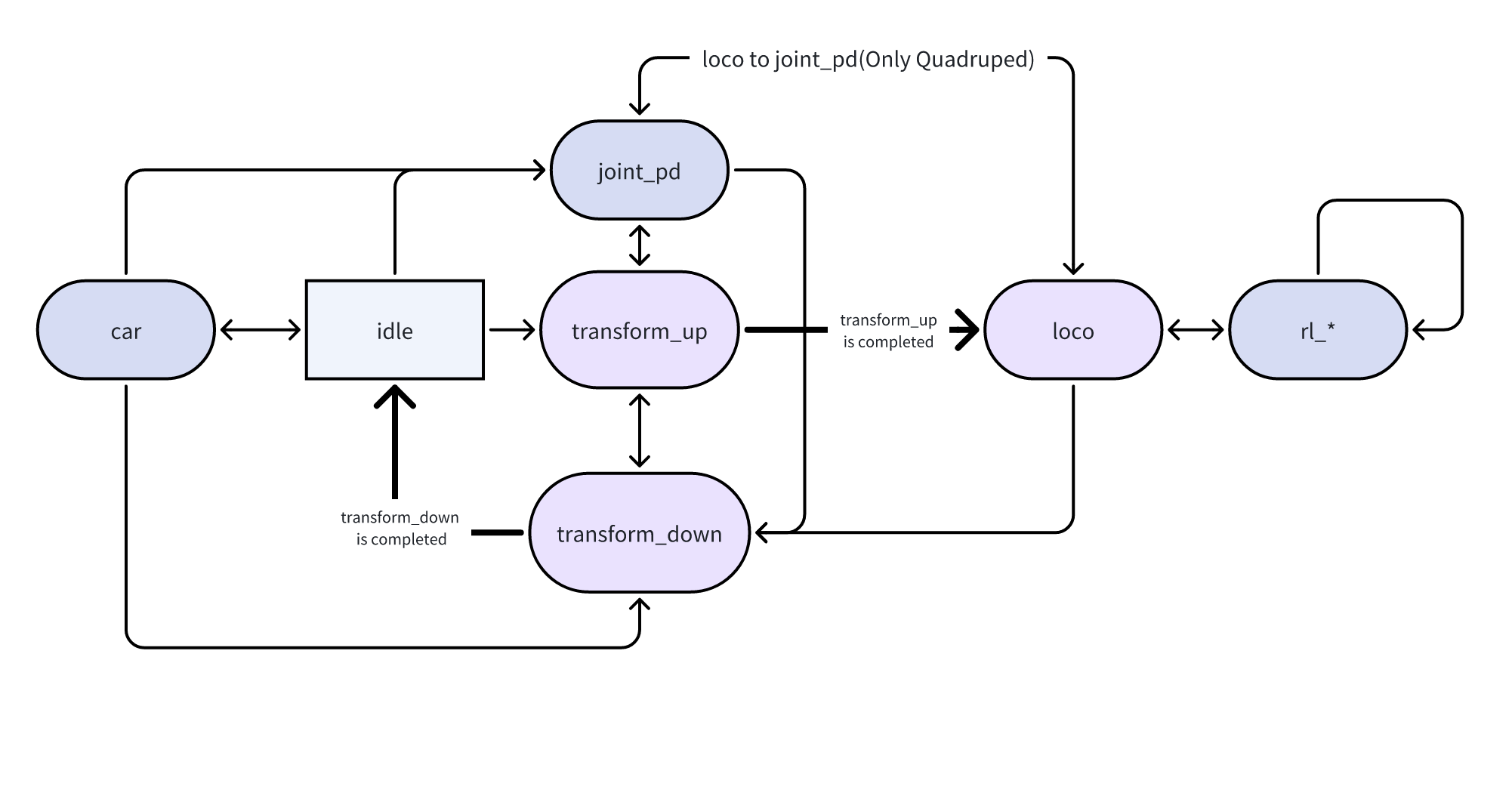
The controller’s internal FSM transitions as shown below.Arrows indicate permissible transitions between states.Quadruped control does not include the car state. An asterisk (*) in the menu indicates the current state (03–07).
Remote Controller Menu
1、Entering the Menu
Press the right-side button to enter the menu:
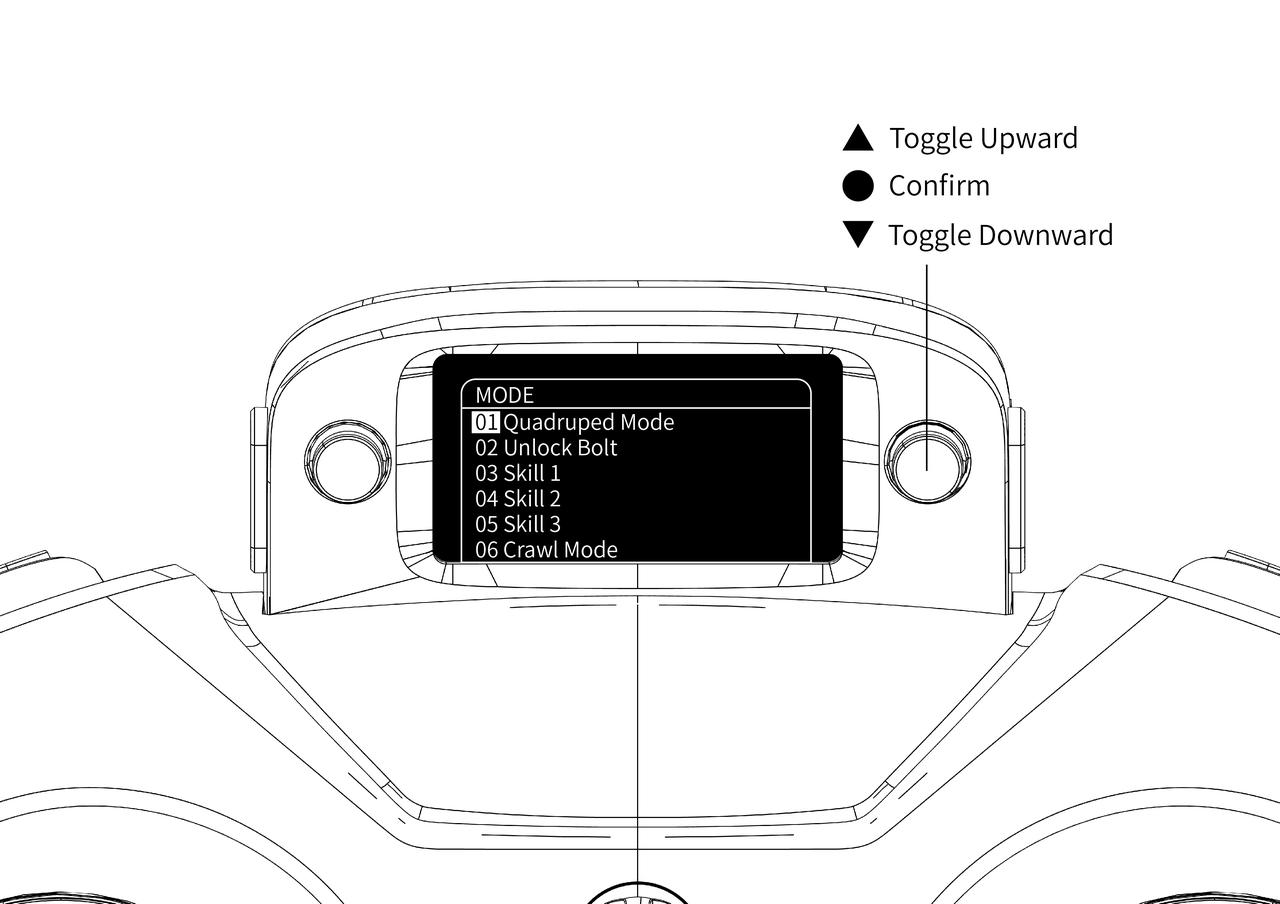
Menu items:
01 Quadruped Mode (switching system service)
02 Unlock Bolt (requires switching to Biped-wheeled first)
03 Skill 1 (Biped-wheeled side-walk / quadruped stair climbing)
04 Skill 2 (Biped-wheeled stair-climb / quadruped high-platform)
05 Skill 3 (not used)
06 Crawl mode (Biped-wheeled only)
07 Lock joints
08 Joystick SDK mode (disables ROS 2 command publishing)
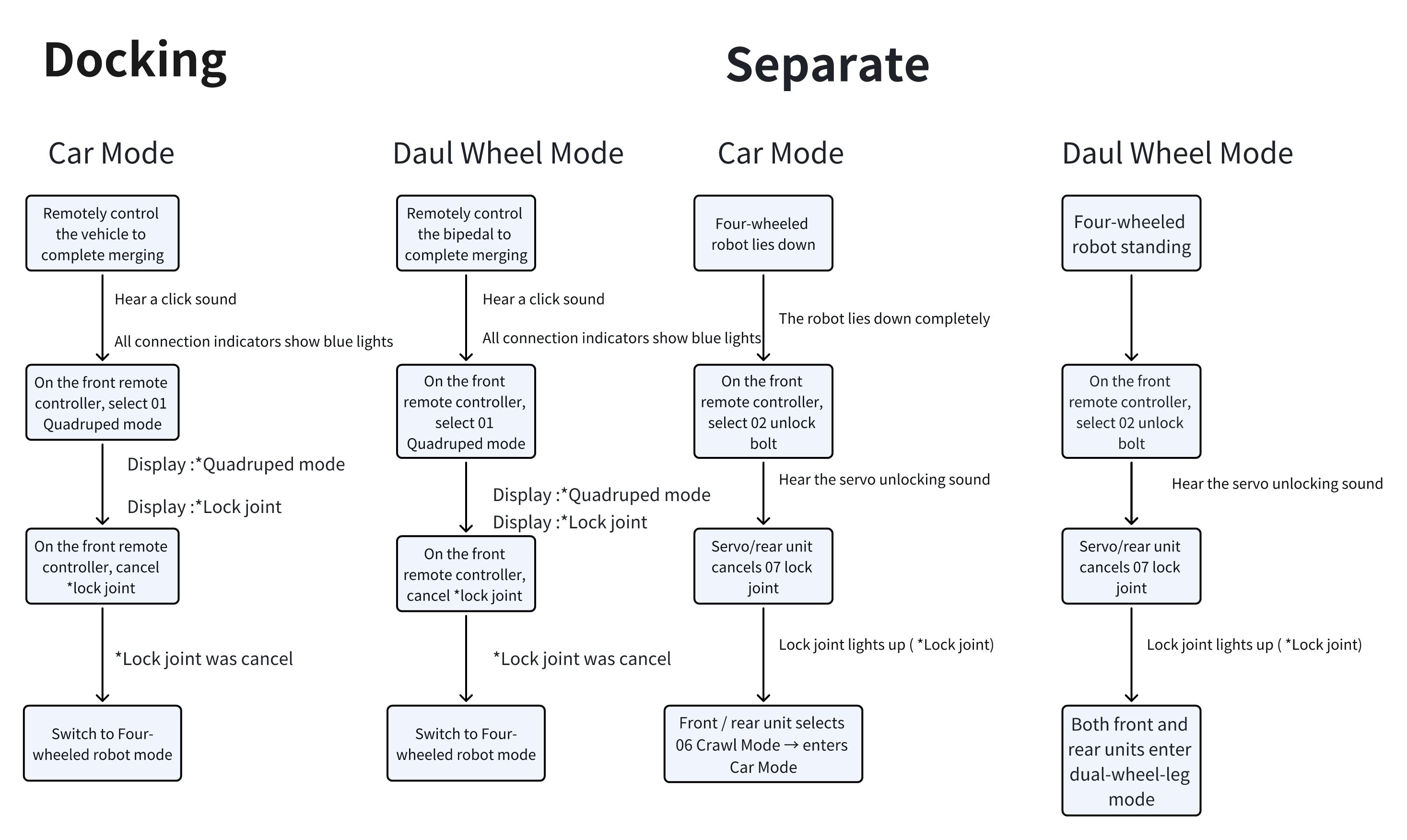
Unlock / Fusion Switching
Configuration Modification
Remote Controller Configuration(ROS2)
Edit the YAML parameters in the teleop_command package:
Motion Control Adjustments
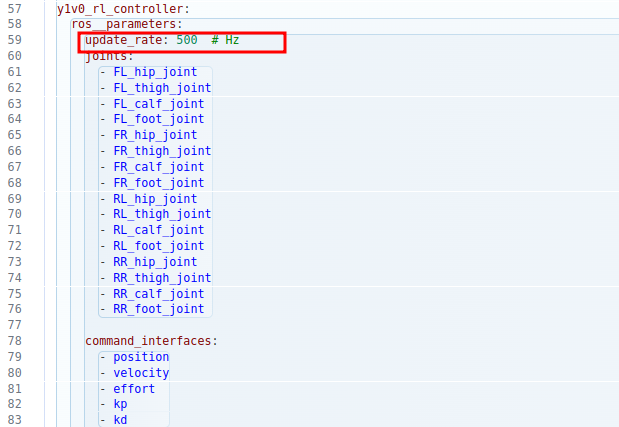
Modify control frequency in:
Quadruped:
vim /opt/y1_ros2/share/rl_controller/config/y1v0/controllers.yaml
Biped-wheeled:
vim /opt/y1_ros2/share/rl_controller/config/y1v0h_evt1/controllers.yaml
Adjust the
update_ratefield (Hz). Default is 500 Hz.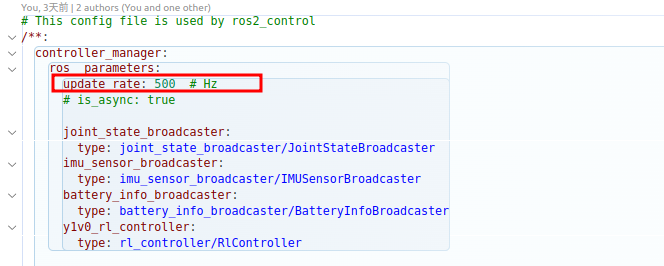
ERROR CODE
Code |
Description |
Version |
|---|---|---|
0x1000 |
First digit = read error, 2nd–3rd = motor error (00 01 03), 4th = motor index. |
|
0x2000 |
Motor command transmission failure, usually “No buffer available” |
|
0x100 |
Cannot switch to quadruped mode |
|
0x200 |
Unlocking failed |
|
0x385 |
Fusion connector CAN data abnormal, possibly disconnected or cable damaged |