WIFI Portable Application
Installation and Deployment
sudo apt install network-manager
git clone https://github.com/DDTRobot/config_of_documents.git
cd config_of_documents
sudo chmod +x install.sh
sudo ./install.sh
#Power off and restart
Note
AP hotspot mode
SSID: TITAxxxxxxx
Password: 12345678
IP Address: 10.42.0.1
Commands
1、Enable AP hotspot mode:
sudo wifi-app -ap_on

2、Connect to WiFi, If AP mode is active, disable it first:
Warning
sudo wifi-app -ap_off
Then:
sudo wifi-app -on
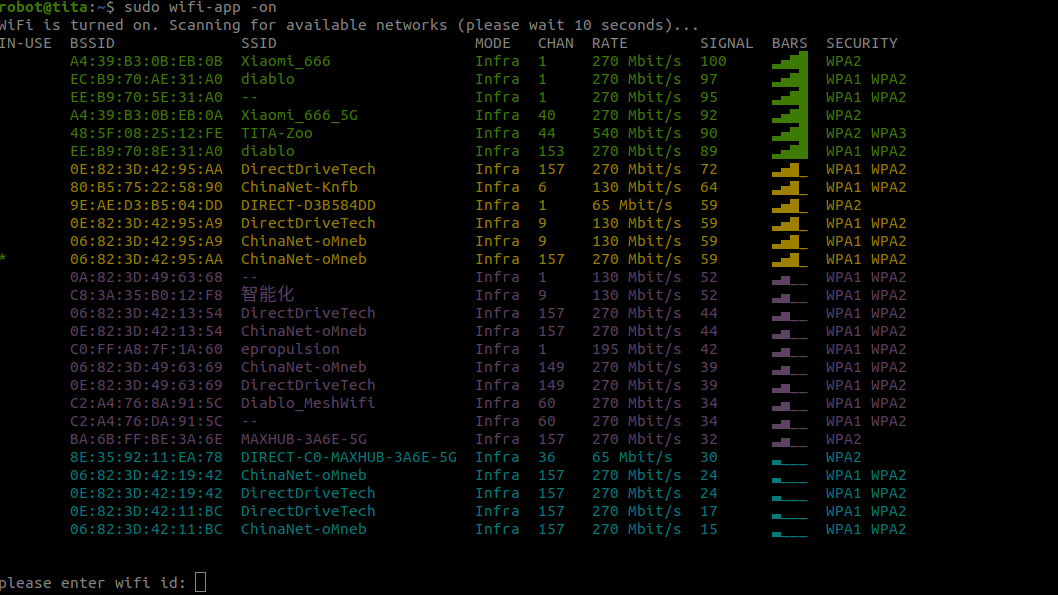 (1) ctrl+c #enter
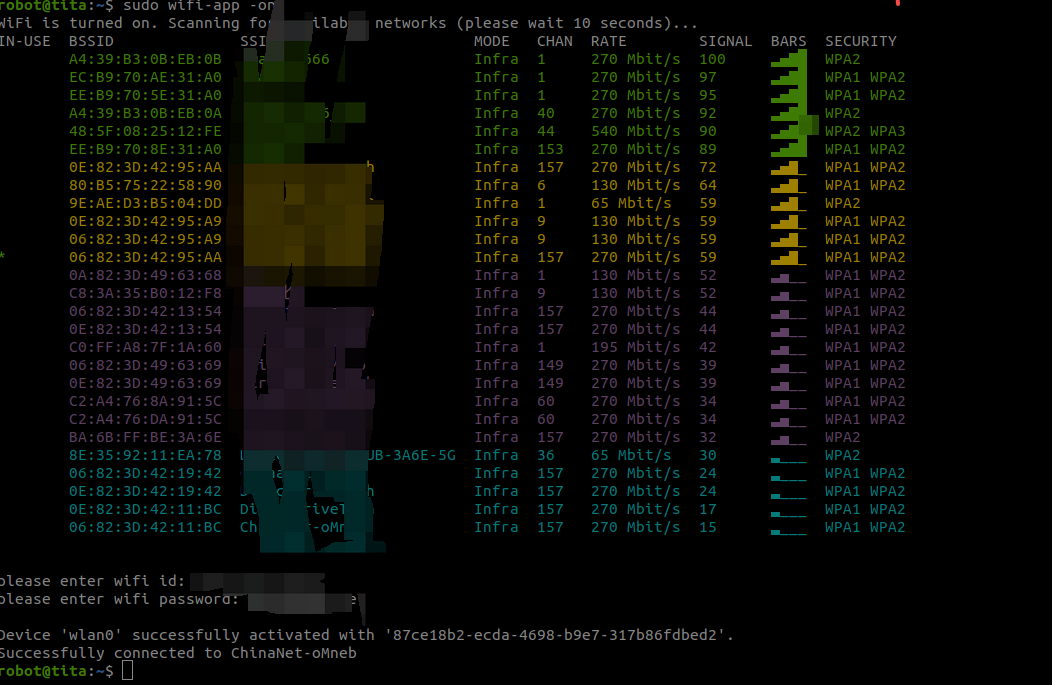
(2) Enter WiFi name #enter
(3) password #enter
(1) ctrl+c #enter
(2) Enter WiFi name #enter
(3) password #enter
3、Enable AP mode on boot:
cd config_of_documents
cp wifi-app.service /etc/systemd/system/
systemctl daemon-reload
systemctl enable wifi-app.service
systemctl restart wifi-app.service